One of the most satisfying aspects of playing first-person shooters (FPS) on the Xbox Series X is the thrill of outgunning opponents through precise aim and split-second decisions. However, consistently landing your shots takes more than luck. Improving your aim requires technique, training, and occasionally, tweaking your setup. Whether you’re grinding in Call of Duty, seeking victory royales in Fortnite, or dominating the fields of Halo Infinite, mastering your aim can significantly elevate your gaming performance.
Contents
TL;DR
Improving aim on the Xbox Series X involves more than just playing—it’s about refining settings, practicing consistently, using aim training tools, and optimizing controller setups. Adjusting sensitivity, dead zones, and even your sitting posture can all impact shooting accuracy. Don’t underestimate the role of in-game responsiveness and muscle memory. With practice and a tactical approach, any player can enhance their FPS aim over time.
1. Optimize Controller Settings
One of the first steps to improving aim is properly configuring the Xbox controller settings. Think of your controller as an extension of your reflexes—the better tuned it is, the more precise your firing becomes.
- Adjust Sensitivity: Most FPS games allow you to fine-tune sensitivity. Try using a mid-to-low sensitivity (e.g., 3-5 range in Call of Duty) to gain better control, then gradually increase as you gain confidence.
- Use Linear Response Curve: Some games let you modify how stick movement translates into screen motion. Linear curves often provide more predictable aiming.
- Lower Dead Zones: The smaller the dead zone, the faster your stick responds to input. Reducing dead zones allows more responsive aiming movements.
Find a balance—the settings should feel native to your movement, not too twitchy or too sluggish.
2. Consider Elite Controllers or Accessories
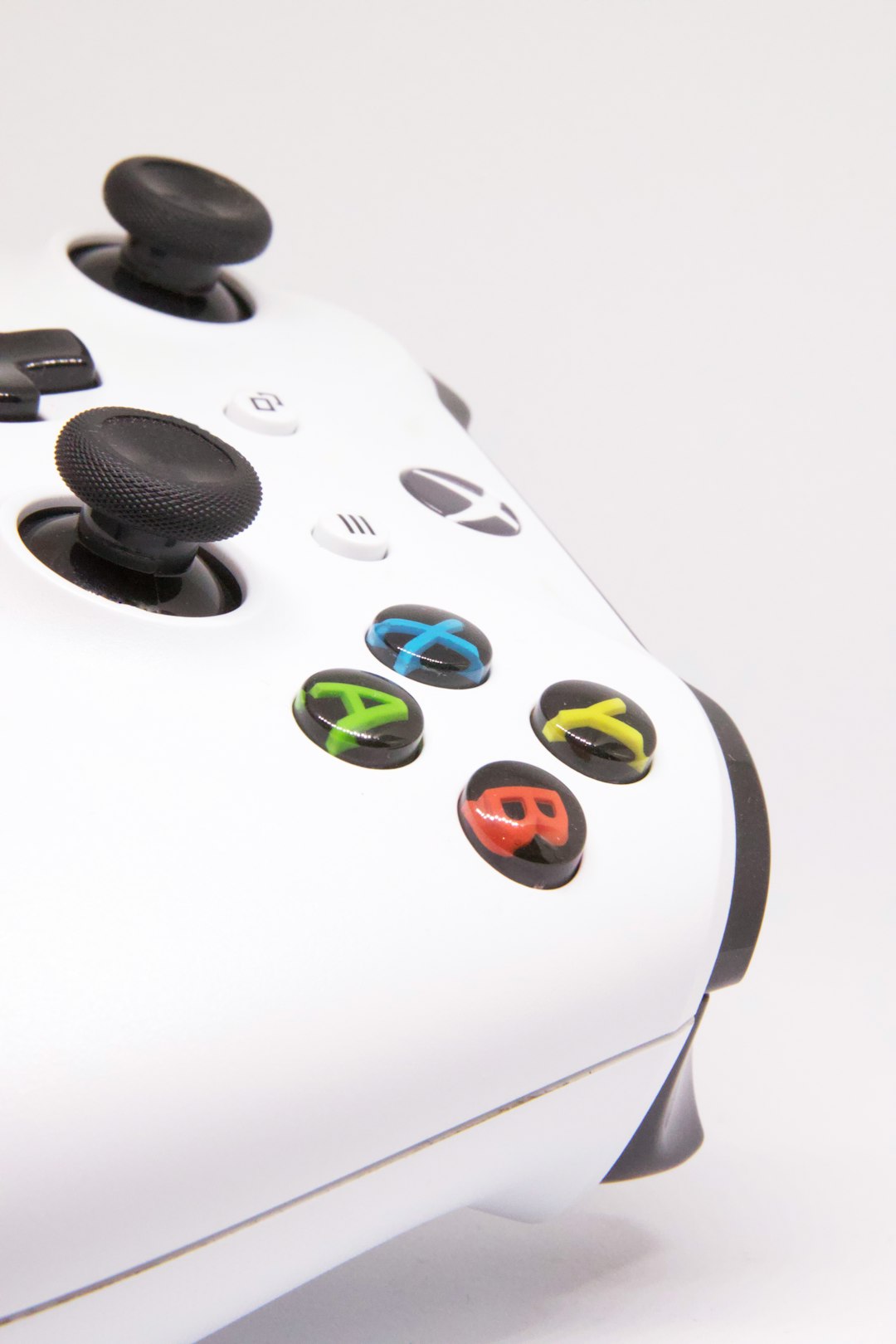
The standard Xbox Series X controller is excellent, but for competitive or advanced players, investing in a more customizable option like the Xbox Elite Series 2 controller can make a big difference.
- Paddles: Assign actions like jump or reload to the back paddles to reduce finger strain and keep thumbs on the sticks.
- Custom Thumbsticks: Longer thumbsticks can improve precision for sniping, while shorter ones may be better for fast-paced gameplay.
There are also third-party accessories like KontrolFreek thumb grips that offer improved handling and control.
3. Practice in Aim Trainers and Training Modes
Just like an athlete practices drills, FPS players benefit from consistent aim training. Some games like Apex Legends and Halo Infinite include a dedicated training range. When available, always use these features before jumping into competitive play.
For broader skill development, consider third-party aim trainers tailored for console play such as:
- 3D Aim Trainer (via web browser)
- KovaaK’s Console Companion
- Rogue Company’s Shooting Range (useful even if you don’t play the game)
Build muscle memory and improve flick shots, tracking, and recoil control through repeated daily routines.
4. Learn and Control Recoil Patterns
Each weapon in a shooter game has its unique behavioral pattern, especially when fired continuously. Mastering your favorite guns’ recoil spray is crucial.
- Practice clicking and dragging your right stick in the opposite direction of a weapon’s recoil.
- Use burst fire at medium to long range to maintain accuracy.
- Watch gameplay videos or tutorials analyzing specific weapons.
The more familiar you are with a weapon’s pattern, the more confidently you’ll land shots under pressure.

5. Position Yourself for Better Performance
Aim is connected not only to your fingers but also to your entire setup posture and comfort. A proper gaming environment leads to increased focus and reduced fatigue.
- Seating: Use ergonomic chairs. Sit with your eyes level to the screen center and elbows bent at 90 degrees.
- Monitor Size and Distance: If you use a dedicated gaming monitor, 24 to 27 inches at a 2-to-3-foot distance provides the best view of details.
- Lighting: Minimize screen glare by adjusting ambient light and position. Invest in bias lighting if necessary.
This combination reduces strain and helps you react faster during fast-paced gunfights.
6. Warm Up Before You Game
Diving into a match cold slows down reflexes and aiming accuracy. Even a 10-minute warmup can prime your skills.
- Hop into a private match or training zone.
- Run drills like tracking bots, flicking between targets, or practicing recoil patterns.
- Mentally prepare—visualize your aim snapping cleanly to targets.
Consistent warm-ups lead to more consistent performance during real matches.
7. Analyze Your Gameplay
Watch replays of your games to identify missed shots or poor positioning. Many players overlook this step, but your own mistakes are your best teacher.
- Where did your crosshair sit before the enemy appeared?
- How often did you over-aim or under-aim?
- Did poor positioning affect your ability to track enemies?
Make notes and apply those lessons in the next session. Over time, this reflective process sharpens both aim and tactics.
8. Use Aim Assist, But Don’t Rely on It
Most console shooters include some form of aim assist. While helpful, it shouldn’t be a crutch.
To develop fine-tuned aim:
- Try disabling or lowering aim assist when practicing to train pure stick movement.
- Learn to track targets manually and refine flick movements so you’re not overly reliant.
Think of aim assist as a support mechanism, not the foundation of your skill.
Frequently Asked Questions (FAQ)
Q: What is the best controller sensitivity for aiming on Xbox Series X?
A: There’s no universal “best” setting, but many pros suggest starting with medium settings (4-5) and adjusting based on your control preferences. Test speeds in training ranges to find what complements your style.
Q: Do elite controllers significantly improve aim?
A: Yes, they can. Features like paddles, trigger stops, and swappable thumbsticks offer mechanical advantages that let you focus more on aiming and less on button presses.
Q: How long does it take to improve aiming?
A: It depends on the individual and frequency of practice. With consistent daily training (15–30 minutes per day), many players notice improvements within 2-4 weeks.
Q: Should I use high or low sensitivity settings?
A: Low sensitivity typically offers better accuracy, especially for new or mid-level players. High sensitivity can offer faster reaction times but is harder to control without practice.
Q: Is aim assist cheating?
A: No. Aim assist is standard in console FPS games to compensate for the limitations of joysticks compared to mouse aiming. It’s part of balanced gameplay on Xbox consoles.
By combining hardware enhancements, thoughtful in-game settings, training exercises, and consistent practice, Xbox Series X players can transform their FPS aim from average to razor-sharp. Remember, improvement takes time, but every precise shot is a step closer to victory.