Modern software users expect intuitive experiences from the moment they sign up. Whether it’s a SaaS dashboard, mobile app, or enterprise platform, people rarely read manuals or explore every feature on their own. That’s where product tour software for interactive user walkthroughs plays a critical role. By guiding users step by step inside the actual product interface, these tools help businesses shorten learning curves, improve feature adoption, and increase overall customer satisfaction.
TLDR: Product tour software enables businesses to create interactive, in-app walkthroughs that guide users through features and workflows. It improves user onboarding, boosts feature adoption, and reduces churn by offering contextual guidance at the right time. Modern tools are customizable, analytics-driven, and require little to no coding. Choosing the right solution can dramatically enhance user engagement and long-term retention.
Contents
What Is Product Tour Software?
Product tour software is a digital solution that allows companies to build interactive, step-by-step guides directly within their applications. These tours highlight features, prompt users with instructions, and walk them through key actions they need to complete.
Instead of relying on static help documents or video tutorials, interactive walkthroughs let users learn by doing. As they navigate the interface, contextual tooltips, pop-ups, checklists, and progress indicators appear to guide them through tasks.
Unlike traditional documentation, which requires users to search for help, product tours anticipate questions and deliver guidance exactly when it’s needed. This proactive support significantly enhances the overall product experience.
Why Interactive User Walkthroughs Matter
User expectations have evolved. Today’s customers want:
- Quick setup with minimal friction
- Immediate value realization
- Self-service learning options
- Personalized experiences
When users encounter confusion early, they are far more likely to abandon the product. Interactive walkthroughs reduce that risk by simplifying complexity into manageable steps.
Here are some of the most significant benefits:
1. Faster Onboarding
New users often feel overwhelmed by feature-rich platforms. A guided tour breaks complicated interfaces into digestible tasks. Instead of guessing what to do first, users are shown exactly where to click and what action to take next.
2. Improved Feature Adoption
Many products include powerful features that go unnoticed. Interactive walkthroughs introduce these features at relevant moments, helping users discover tools they might otherwise ignore.
3. Reduced Customer Support Load
When customers receive contextual help inside the product, they submit fewer support tickets. This decreases operational costs while empowering users to troubleshoot independently.
4. Increased Retention and Conversion
A smooth onboarding experience deeply influences whether users stick around. Clear guidance builds confidence and trust, encouraging long-term engagement and higher upgrade rates.
Key Elements of Effective Product Tours
Not all product tours are created equal. Effective walkthroughs share several essential components that make them engaging rather than intrusive.
Contextual Triggers
Instead of launching automatically for all users, smart tours trigger based on behavior. For example, if a user visits a feature page for the first time, a brief guide can appear to explain how it works.
Interactive Steps
The best product tours require action. Rather than passively showing information, they prompt users to click, type, or select options, reinforcing learning through interaction.
Progress Indicators
Showing progress (e.g., “Step 2 of 5”) motivates users to complete the tour and gives them a clear sense of achievement.
Personalization
Advanced tools segment users by role, behavior, or subscription plan. This ensures relevant content for different audiences, such as administrators versus regular users.
Common Types of Interactive Walkthroughs
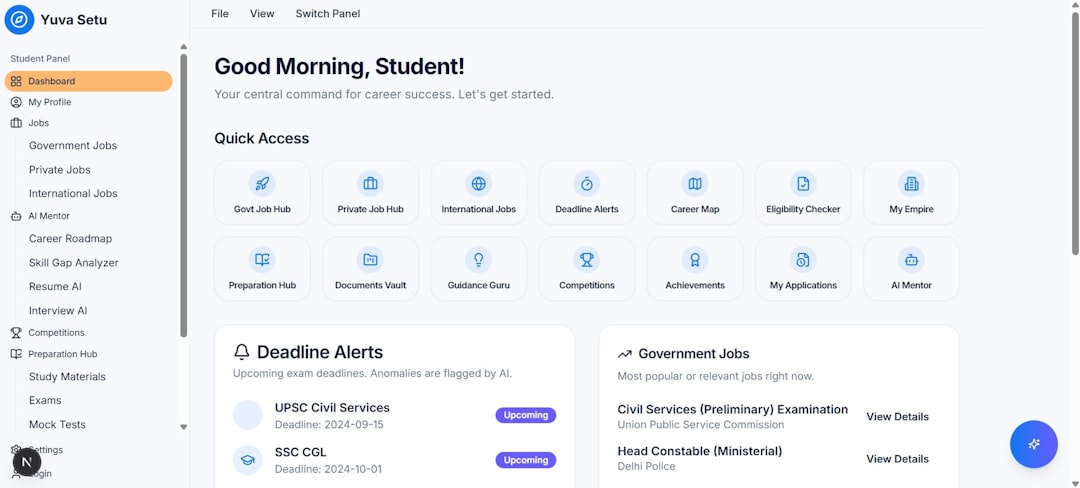
Product tour software typically supports multiple formats to address different onboarding needs.
- Welcome Tours – Introduce the core interface during first login.
- Feature Announcements – Highlight newly released tools or updates.
- Task-Based Guides – Help users complete specific workflows.
- Onboarding Checklists – Provide a structured list of must-do actions.
- Tooltips and Hover Prompts – Deliver quick tips without disrupting the workflow.
Combining these approaches creates a layered onboarding strategy that supports users beyond their initial session.
No-Code vs. Developer-Driven Solutions
Modern product tour platforms often emphasize no-code or low-code functionality. This enables product managers, marketers, and customer success teams to build and edit tours without engineering assistance.
Key advantages of no-code solutions include:
- Faster deployment
- Greater flexibility for experimentation
- Reduced dependency on development resources
- Easier iteration based on user feedback
However, developer-driven solutions may offer deeper customization and tighter integration for complex enterprise systems. The right choice depends on the scale, technical infrastructure, and strategic goals of the organization.
How Analytics Elevate Product Tours
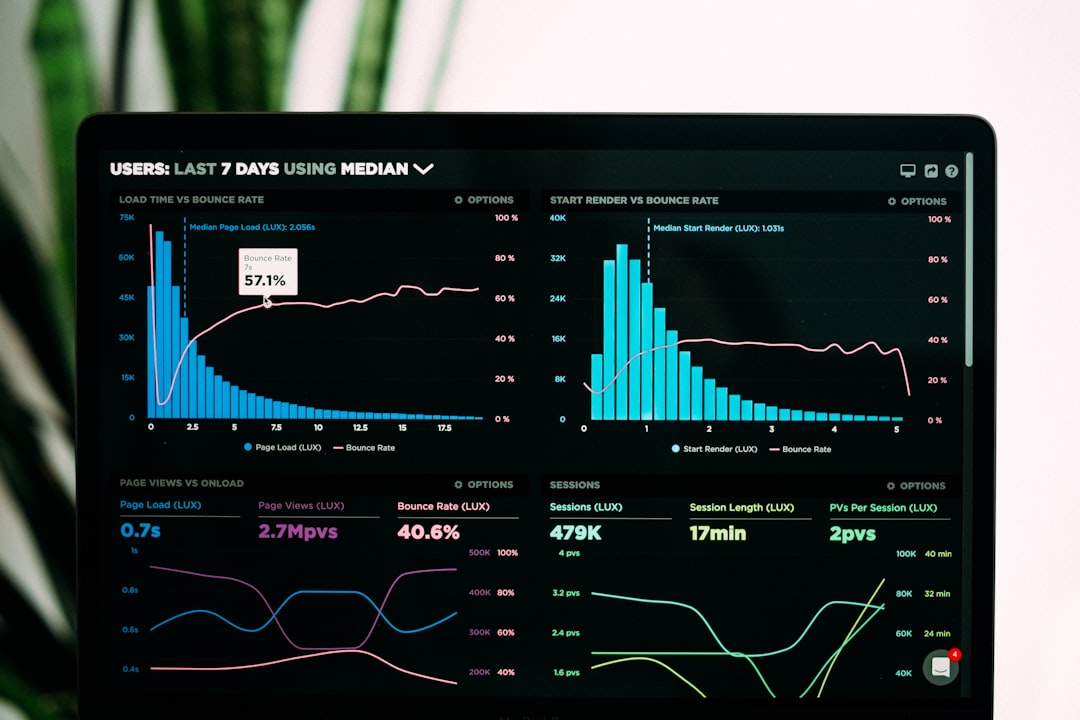
One of the most powerful aspects of modern product tour software is built-in analytics. These tools track user behavior within walkthroughs to reveal what works and what doesn’t.
Important metrics include:
- Completion rate – Percentage of users who finish the tour
- Drop-off points – Steps where users disengage
- Feature engagement – Usage before and after tour exposure
- Conversion impact – Influence on upgrades or trial-to-paid transitions
By analyzing these insights, teams can refine onboarding flows and continuously improve user experiences.
Best Practices for Implementing Product Tours
Simply installing product tour software is not enough. Strategic planning ensures maximum impact.
Keep It Short and Focused
Lengthy tours overwhelm users. Instead, concentrate on delivering immediate value. Break complex training into smaller, contextual guides.
Prioritize Core Actions
Identify the “aha moment” — the key action that demonstrates your product’s value. Design the walkthrough to guide users directly to that moment.
Allow Skipping
Forced tours can frustrate experienced users. Always provide an option to skip or revisit guides later.
Continuously Test and Iterate
Conduct A/B testing on messaging, number of steps, and trigger timing. Small adjustments can significantly improve engagement.
Align with Brand Voice
Tone matters. Whether your brand is professional, playful, or technical, the wording of your walkthrough should reflect that personality consistently.
Industries That Benefit Most
While nearly any digital product can use interactive walkthroughs, some sectors gain exceptional value:
- SaaS Platforms – For feature-rich dashboards and subscription tools
- Fintech Applications – To guide users through sensitive financial processes
- Healthcare Software – Where precision and compliance are critical
- E-learning Platforms – To help students and instructors navigate course tools
- Enterprise Systems – For large-scale internal software adoption
In highly regulated industries, clear guidance not only improves usability but can also enhance compliance and reduce user error.
Challenges to Consider
Despite their benefits, product tour tools are not without challenges.
- Overuse of pop-ups can disrupt workflows.
- Poor timing may annoy experienced users.
- Outdated tours can create confusion after interface updates.
Regular audits and content updates are essential to keep walkthroughs aligned with evolving product functionality.
The Future of Product Walkthrough Technology
Emerging trends suggest product tour software will become even more intelligent and adaptive. Artificial intelligence is beginning to power dynamic walkthroughs that respond to individual user behavior in real time.
Future innovations may include:
- Predictive guidance based on behavioral analytics
- Voice-assisted in-app navigation
- Adaptive micro-learning modules
- Deeper integrations with CRM and support platforms
As digital ecosystems grow more sophisticated, contextual in-app assistance will transform from a “nice-to-have” into a competitive necessity.
Choosing the Right Product Tour Software
When evaluating solutions, organizations should consider:
- Ease of implementation
- Customization capabilities
- Integration with existing tech stacks
- Scalability for growth
- Robust analytics and reporting
- User segmentation features
Requesting demos, testing sandbox environments, and reviewing case studies can help determine which platform aligns best with business goals.
Final Thoughts
In an increasingly competitive digital landscape, delivering exceptional user experiences is critical. Product tour software for interactive user walkthroughs empowers organizations to reduce friction, accelerate learning, and drive meaningful engagement.
By combining thoughtful design, behavioral analytics, and contextual guidance, companies can transform complex software into intuitive experiences. The result is not just better onboarding but stronger relationships with users who feel confident and supported at every step.
As products grow more advanced, the ability to guide users effectively will distinguish market leaders from the rest. Investing in interactive walkthrough technology is ultimately an investment in clarity, adoption, and long-term success.