Freelancers who manage multiple income streams often face a level of financial complexity that traditional employees rarely encounter. Between juggling client invoices, tracking project-based expenses, managing recurring revenue, and preparing for quarterly taxes, financial clarity can quickly become overwhelming. Without structured reporting tools, even high-earning freelancers may struggle with cash flow blind spots and reporting inefficiencies.
TLDR: Freelancers handling multiple income streams need reliable financial reporting tools to maintain clarity, cash flow stability, and tax compliance. The right software simplifies income tracking, expense categorization, and financial forecasting. This article explores four powerful financial reporting tools, compares their strengths, and explains how each helps independent professionals stay financially organized. A helpful FAQ section at the end answers common concerns.
As the freelance economy continues to expand, financial reporting is no longer optional—it is a strategic necessity. Below are four essential financial reporting tools that empower freelancers to stay organized, profitable, and prepared for growth.
Contents
1. QuickBooks Online
Best for comprehensive financial reporting and scalability.

QuickBooks Online remains one of the most powerful and widely used accounting tools available to freelancers. Particularly for those handling multiple clients and diverse revenue streams—such as consulting, digital products, affiliate income, and retainers—QuickBooks provides clarity through structured financial reporting.
Key reporting features include:
- Profit and Loss statements
- Cash flow reports
- Balance sheets
- Expense categorization summaries
- Tax-ready reports
The platform integrates seamlessly with bank accounts and payment processors, which reduces manual data entry. For freelancers earning income via platforms like PayPal, Stripe, or direct deposits, real-time syncing ensures consistent financial updates.
Advantages:
- Scales as freelance income grows
- Support for multiple currencies
- Advanced forecasting tools
- Integration with payroll and tax filing systems
The primary drawback is cost. However, for freelancers earning steady multi-source income, the professional reporting insight often justifies the investment.
2. FreshBooks
Best for client-focused freelancers who prioritize invoicing and simple reporting.
FreshBooks is particularly popular among creative professionals, consultants, and service-based freelancers. While it may not offer the depth of enterprise accounting platforms, it excels in usability and financial clarity.
Freelancers benefit from:
- Automated invoicing and payment reminders
- Expense tracking by client or project
- Revenue breakdown reports
- Time tracking with billable hour reports
For freelancers managing varied client contracts, FreshBooks provides visual reports that clarify which income streams generate the most profit. This is invaluable when deciding where to focus efforts.
Additionally, automated recurring invoices simplify managing subscription-based or retainer clients.
Limitations:
- Less robust inventory tracking
- Limited advanced forecasting analytics
Still, for freelancers who desire simple yet effective financial reports without a steep learning curve, FreshBooks is highly practical.
3. Wave Accounting
Best free financial reporting option for early-stage freelancers.

Freelancers just starting out often need affordable tools that still provide professional-grade reporting. Wave Accounting offers free accounting software supported by paid add-ons such as payment processing.
Wave’s reporting tools include:
- Income by customer reports
- Expense breakdown summaries
- Profit and loss statements
- Sales tax reports
For freelancers managing side gigs alongside primary contracts, Wave allows categorized tracking of multiple revenue sources without monthly subscription fees.
Its dashboard presents clear snapshots of cash flow, unpaid invoices, and expenses.
Advantages:
- No monthly subscription cost
- Simple user interface
- Unlimited income and expense tracking
Drawbacks:
- Fewer integrations than premium tools
- Limited customer support options
Wave is best suited for freelancers whose reporting needs are straightforward but still require structured tracking across multiple streams.
4. Xero
Best for freelancers with international clients or complex income structures.
Xero is known for powerful cloud-based accounting with strong reporting customization. Freelancers with diversified income—including digital sales, consulting contracts, affiliate earnings, and global clients—often find Xero particularly useful.
Notable reporting capabilities:
- Customizable financial dashboards
- Currency conversion reporting
- Project-level profit reports
- Budget tracking and forecasting
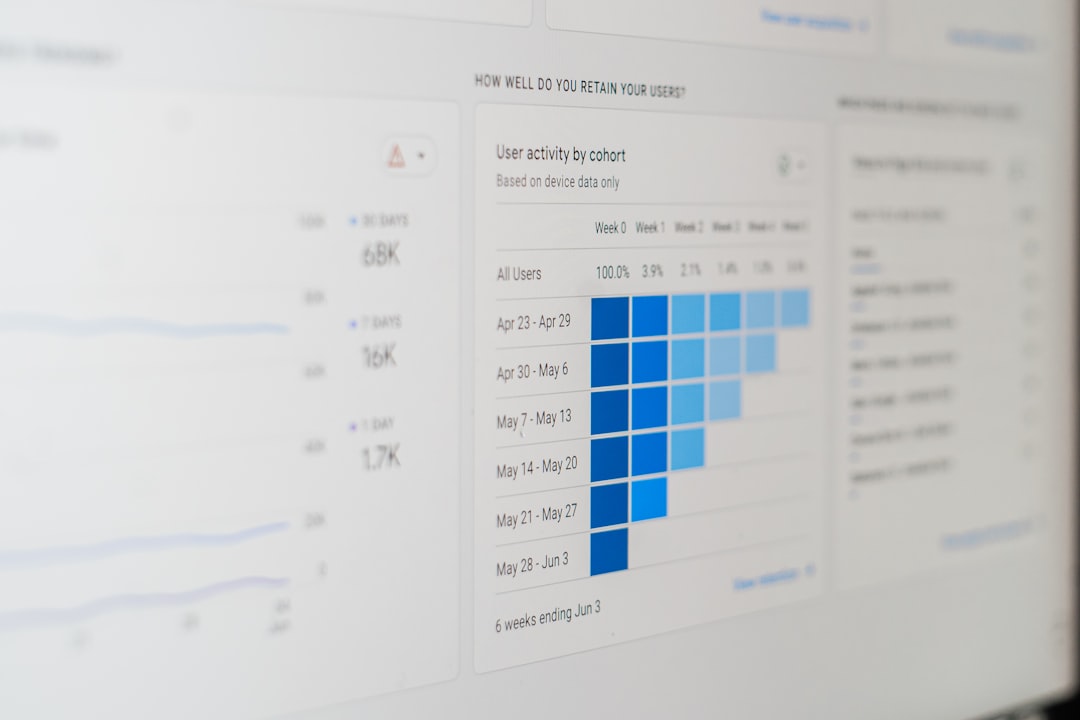
Xero allows freelancers to segment income streams into categories that reflect the structure of their business. This enables more precise profit evaluation and strategic adjustments.
Advantages:
- Strong automation features
- Over 1,000 third-party integrations
- Robust inventory tracking
- Highly customizable financial reports
Disadvantages:
- Learning curve for beginners
- Higher monthly cost compared to basic tools
For freelancers treating their work as a growing enterprise rather than a side venture, Xero offers long-term scalability.
Comparison Chart
| Tool | Best For | Pricing | Reporting Depth | Ease of Use | Key Strength |
|---|---|---|---|---|---|
| QuickBooks Online | Growing freelancers with complex income | Paid subscription | Advanced | Moderate | Comprehensive financial reporting |
| FreshBooks | Service-based freelancers | Paid subscription | Moderate | High | Client-focused invoicing |
| Wave | Beginners and side hustlers | Free (with add-ons) | Basic to Moderate | High | Cost-effective reporting |
| Xero | International or scaling freelancers | Paid subscription | Advanced | Moderate | Customizable global reporting |
How to Choose the Right Tool
Freelancers managing multiple income streams should evaluate tools based on the following factors:
- Income complexity: Are revenue streams diversified across industries or currencies?
- Tax requirements: Does the tool prepare reports for quarterly and annual filing?
- Automation needs: Is invoice automation essential?
- Growth plans: Will advanced reporting be necessary as income increases?
- Budget constraints: Can subscription fees be justified by time savings?
Financial reporting is not merely about compliance. It provides freelancers with performance visibility, identifies underperforming income streams, and clarifies expansion opportunities.
Why Financial Reporting Matters for Multiple Income Streams
Freelancers earning revenue from diverse sources face distinct challenges:
- Irregular payment schedules
- Inconsistent client cash flow
- Varying tax classifications
- Cross-border transactions
Without reliable reporting tools, it becomes difficult to forecast revenue dips or allocate savings for taxes.
Clear financial reports enable:
- Accurate quarterly tax payments
- Strategic investment decisions
- Early detection of declining revenue streams
- Informed pricing adjustments
Ultimately, structured reporting transforms freelancing from reactive income management into proactive financial strategy.
Frequently Asked Questions (FAQ)
1. Do freelancers really need accounting software if they only have a few clients?
Yes. Even with a small client base, financial reporting ensures proper tax tracking, expense categorization, and income monitoring. Manual spreadsheets quickly become inefficient as income streams expand.
2. What is the best free financial reporting tool for freelancers?
Wave Accounting is one of the most reliable free options. It provides professional-level reports without a subscription fee, making it ideal for early-stage freelancers.
3. Which tool is best for freelancers with international clients?
Xero often stands out due to its strong multi-currency support and customizable international reporting features.
4. Can financial reporting tools help with tax preparation?
Yes. Most tools generate tax-ready income, expense, and sales tax reports that simplify quarterly and annual filing processes.
5. Is it difficult to switch accounting tools later?
Switching is possible, but it may require importing historical data and adjusting integrations. Choosing a scalable tool from the beginning can reduce transition challenges.
6. How often should freelancers review financial reports?
Monthly reviews are recommended. However, those with highly variable income may benefit from weekly cash flow monitoring.
Freelancers who manage multiple income streams operate as full-fledged business owners. Financial reporting tools such as QuickBooks Online, FreshBooks, Wave, and Xero provide the clarity required to make informed decisions. When chosen strategically, these platforms do more than track income—they build financial intelligence that sustains long-term independence and growth.